Your Canvas login is your Parent Portal login
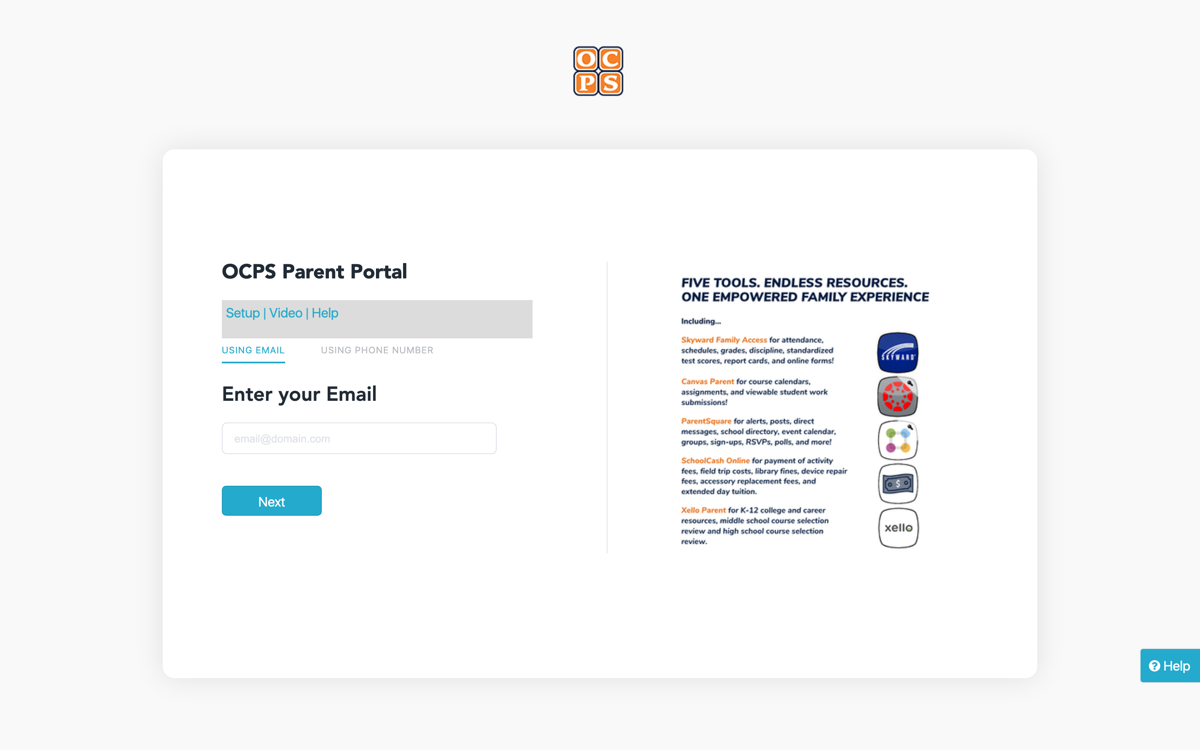
Go to parents.classlink.com/ocps and sign in with the email your school has on file. There is no separate Canvas account to create and no second password to remember: the portal signs you into every district tool from one dashboard.
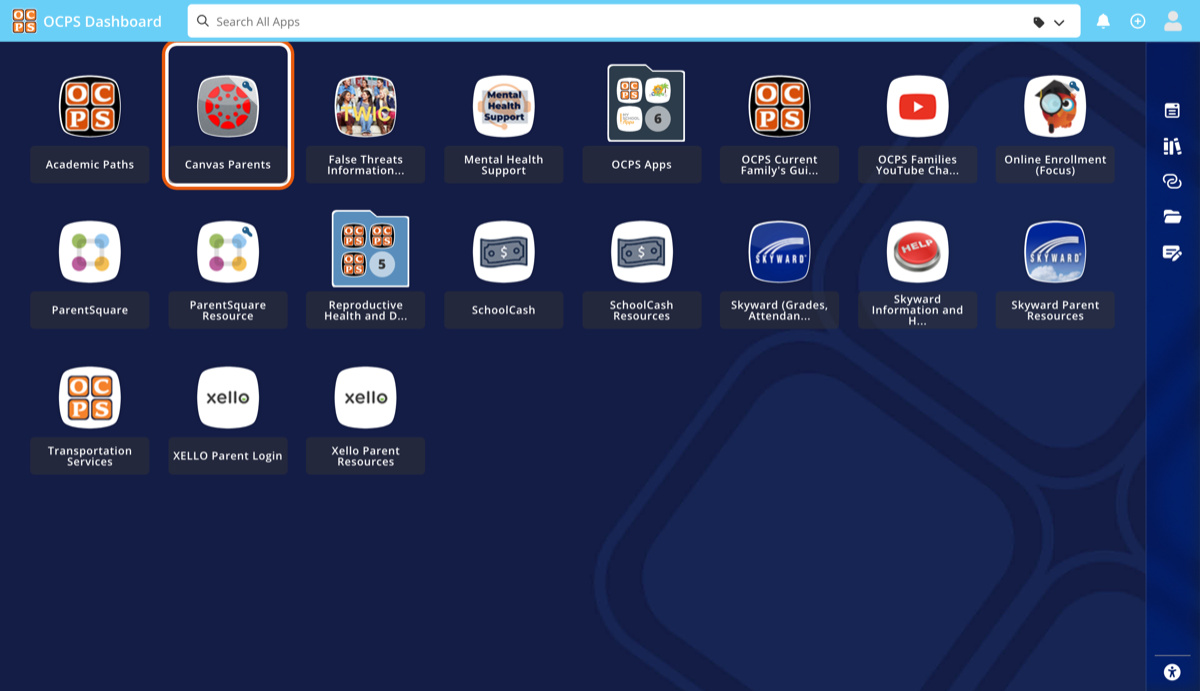
On the dashboard that follows, the tile you want is Canvas Parents. One click and you are in Canvas at ocps.instructure.com, already signed in.
A read-only access token, in five clicks
An access token lets a tool you trust read your Canvas view — courses, assignments, due dates, grades — without ever holding your portal password. Canvas builds this in; you make the token yourself, and you can revoke it yourself.
Treat a token like a password: only paste it into a service you trust, and delete any you no longer use. The same screen that creates them lists every one, with a trash icon beside each.
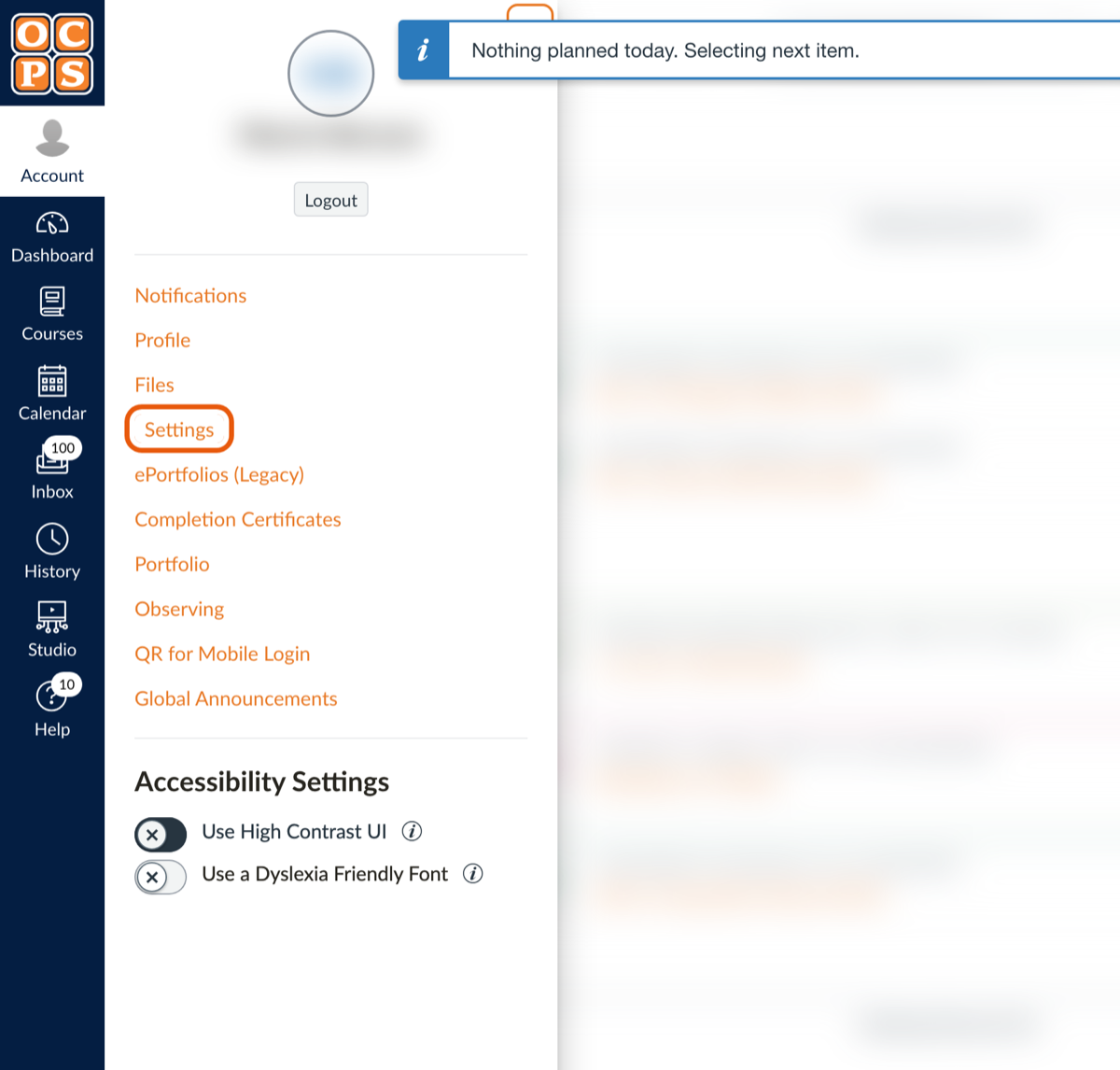
In Canvas, click Account in the left rail, then Settings.
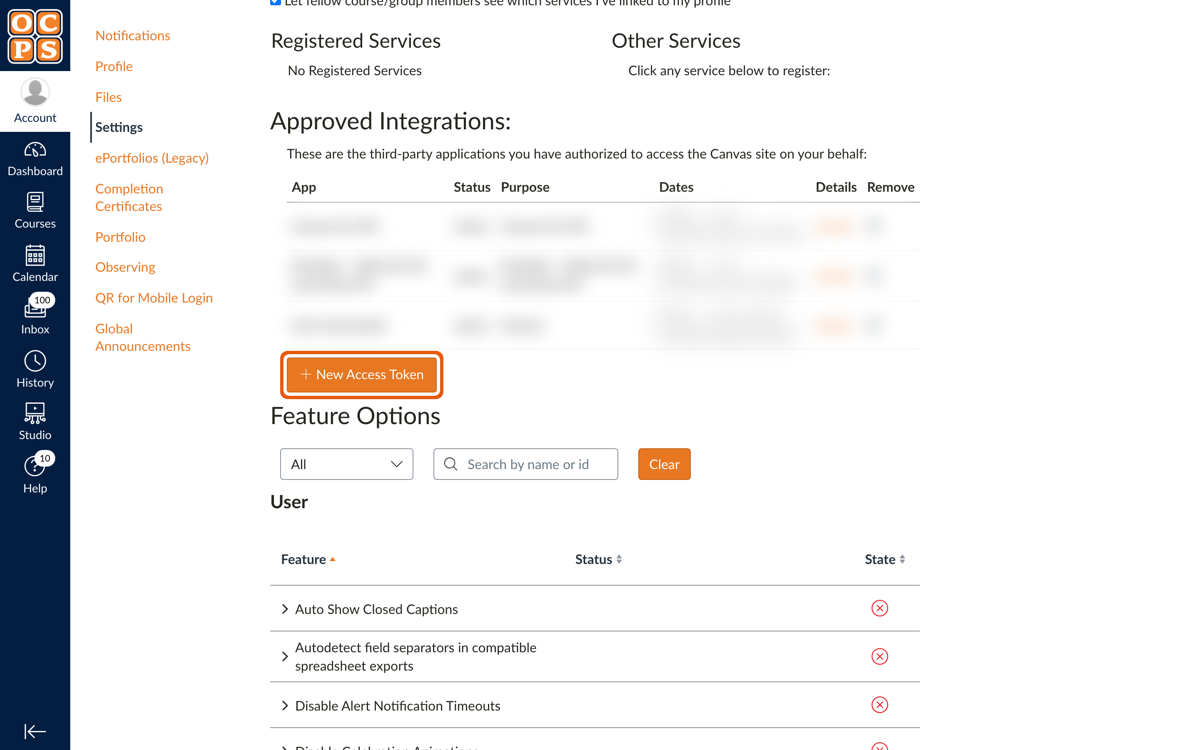
Scroll down to Approved Integrations and click the orange + New Access Token button.
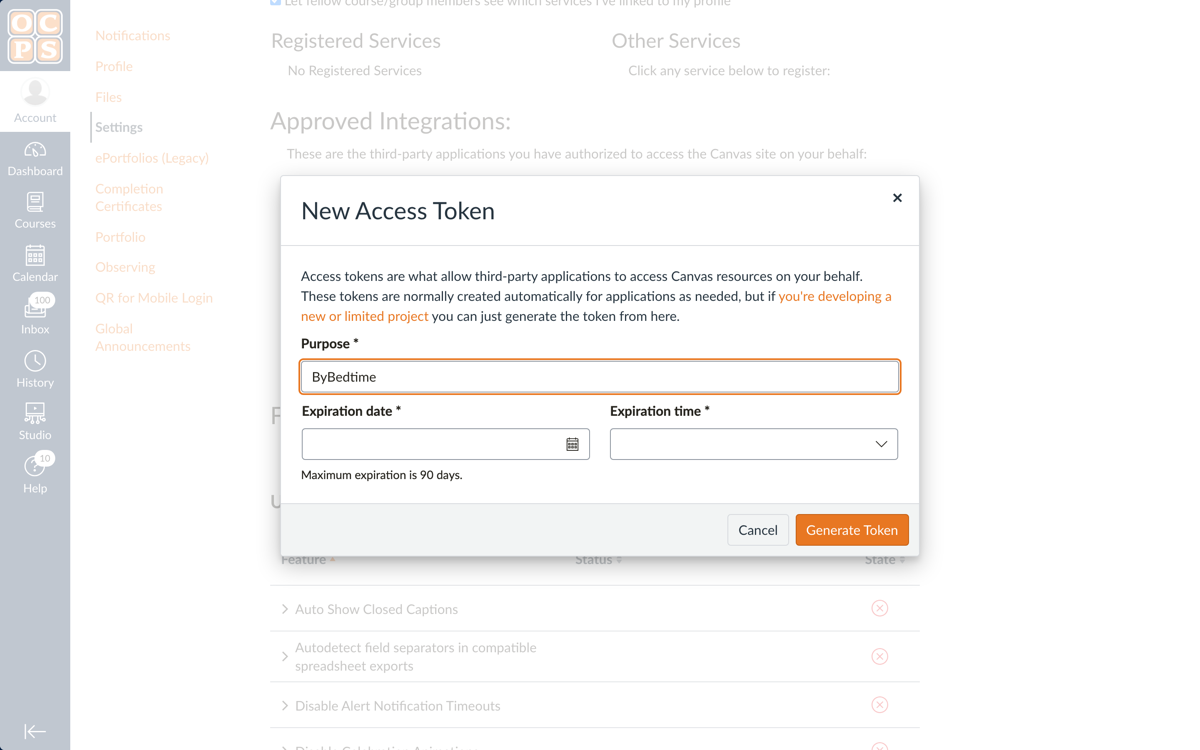
Give the token a purpose you will recognize later, set the expiration date, and click Generate Token. Canvas shows the token exactly once — copy it before you close the window. Losing it breaks nothing: delete it from the list and make another.
The 90-day rule nobody tells you about
Look at the fine print under the date field: "Maximum expiration is 90 days." On ocps.instructure.com the expiration date is required and capped — an OCPS policy, not a Canvas default. Other districts allow tokens with no expiry at all.
The consequence is easy to miss until it happens: every tool an OCPS parent connects by token stops working within 90 days. Nothing announces it; the tool just stops hearing from Canvas. Renewal is the same five clicks on the same screen — new token, paste it into the tool, done. When you set the date, pick the farthest day Canvas accepts, three months out, so you do this four times a year instead of twelve.
ByBedtime plans around this rule: in the last stretch of a token's life, your nightly brief starts saying so, with the renewal walk linked — so the clock runs out on the district's schedule, never on your attention.
For OCPS families: the work, accounted for, every night.
ByBedtime reads the Canvas view you just unlocked and turns it into one nightly email: what is missing, what is due, what got graded — and nothing when there is nothing.
Start your free trialCreate your account without a card. Your trial runs for 14 days and starts only after the first successful Canvas sync.
ByBedtime is an independent service and is not affiliated with, endorsed by, or partnered with Orange County Public Schools, ClassLink, or Instructure ("Canvas"). All names are used only to describe compatibility and remain the property of their respective owners. Screenshots show a parent's own account with personal details blurred. ByBedtime reads assignment information through parent-authorized, read-only access and never collects a school or portal password.