Canvas reports what changed — a grade posted, a comment added. It never reports what is still outstanding, and it never emails a parent about missing work; no such notification exists, for any role. ByBedtime reads your child's Canvas every evening and sends the one email that says what's still out — or that nothing is.
$49 per school year. No card to start.
3 things tonight
Leo · 3 needing attention, 2 due tonight
Also outstanding: 3 items ByBedtime is not counting tonight (no points, no online submission).
Looking ahead
Tomorrow: 1 item due, 45 points
The nightly interrogation
You"Anything due tomorrow?"
Them"I did it at school."
You"What about the essay?"
Them"That's not due yet."
It was due Monday.
The school portal knows the truth. But getting it out means logging in through the parent site, opening six classes one at a time, decoding each teacher's system, and doing it all again tomorrow. It's a nightly checking job you never applied for. So it gets skipped, and skipped, and then it's report card week.
ByBedtime does the checking. You get the conversation back, with the list in your hand instead of a hunch.
Why small things aren't small
A missing assignment found tonight is a ten minute fix. Found in November, it's a grade already bent out of shape. And grades don't stay in their semester. A GPA is one average that starts counting the first week of ninth grade. Every zero stays in the math for four years, long after the class is forgotten.
Colleges read that one number next to the test scores. The families who stay ahead of it aren't the ones who check the portal hardest. They're the ones who find out while it's still fixable.
You can't fix the zero you find out about in November.
How it works
Use the school parent account you already have. You create a read-only access key in your own settings. We never ask for your school password, and you can revoke the key any time, on your side.
The first sync maps every class and assignment without sending a single alert. You won't get a "47 new notifications" avalanche. Your history is context, not a crisis.
Scheduled checks update one calm dashboard with what is newly missing, due tomorrow, resolved, or uncertain. It always shows when Canvas was last verified. Email delivery is live: the nightly brief sends at 9:45 pm during the school year.
House rules
ByBedtime started as one Orlando dad's monitor after a semester of surprises. It grew into a product with the same promises it started with:
But the school already has an app…
District portals are fine at being databases. What they don't do is the parent's actual job: noticing what changed, deciding what matters tonight, and confirming when it's resolved.
| The nightly question | School portal | ByBedtime |
|---|---|---|
| "What's due tomorrow?" | Open every class and look | One dashboard view |
| "Is anything newly missing?" | Compare against your memory | Compared at each scheduled check |
| "Did they turn it in?" | Check again until it changes | Resolved after a verified check |
| "Am I seeing everything?" | Silence looks the same as fine | Dashboard timestamps the last check |
| Email notifications | Only when something changes — never for work still outstanding | One email each evening at 9:45 pm |
First day of school, on our own son's account
One screen filed a 25-point assignment under a blue checkmark: "Show 1 completed item." The grades table, in the same class, showed it was never turned in. Both screens were telling the truth; they were answering different questions.
Canvas · module view

Canvas · grades table: same class
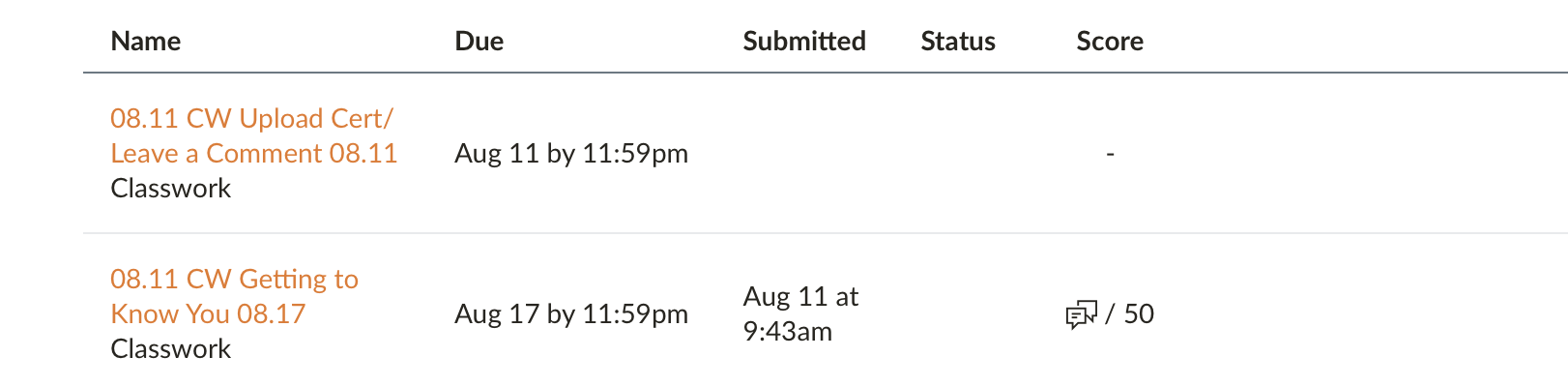
Neither screen is wrong. The checkmark is a completion signal: a student can mark a module item done as they work through it, and Canvas records that they did. Marking an item done does not create a submission, and the grades table counts only submissions. Two honest screens answering two different questions, and the reassuring one is the one you see first at the end of a long day.
ByBedtime doesn't read the screens. It reads the submission record underneath them, and that night's brief listed the assignment plainly: Do tonight: Unsubmitted, due 11:59pm. While there was still time to do something about it.
One email a night, around 9:45, listing what is actually outstanding: as the submission record tells it.
No card required. $49 a year per family after.
Founding families
Create your account without a card. Your 14-day trial begins only after the first successful Canvas sync.
Fair questions
We think of it as the opposite. ByBedtime watches assignments, not your child. no messages, no browsing, no location, nothing on their devices. It sees exactly what your district already shows you as a parent, minus the nightly clicking.
We suggest telling your student it's running, and reviewing the dashboard together. It tends to lower the temperature: the conversation stops being an interrogation and starts being a list.
Launch is for families in districts using the Canvas learning platform with parent observer access, starting with Orange County Public Schools, where ByBedtime was born. More Canvas districts follow as we verify each one properly.
We show assignment status: due, missing, submitted, and graded. That is where problems are still fixable. Many districts keep the official gradebook in a separate system, and teachers post on their own schedules. So we'll never pretend to be the report card; we're the early warning system that helps the report card turn out fine.
Build your assignment dashboard and, when email delivery is enabled, send you briefs. That's it. No ads, no selling, no profiles, and your kid can be a nickname. Notification contents aren't kept in our logs. Delete your account and the data goes with it, promptly and permanently.
Then you'll know that, too. The dashboard carries a "last verified" timestamp, and if we can't check, the dashboard says so in plain words. Silence pretending to be good news is the one thing we refuse to ship.
No. ByBedtime is an independent service built by a parent, not affiliated with or endorsed by any school district or learning platform. It works with the parent access your district already provides you.
Guides & answers
Written for parents, not for search engines. No signup required to read any of them.
The four reasons work slips through the app, and how to check by hand tonight.
Why codes expire, die after one use, and care about capital letters, and how to get a fresh one.
What was exposed, what was not, and how to audit and revoke access to your own account.
Why the work gets done but not turned in, and what actually helps at home.
An honest side-by-side of the viewer and the watchdog, and why most families use both.
A parent who got tired of finding out in November. The story, and the house rules.
Your district
Canvas is Canvas, but your district almost certainly calls it something else, keeps grades somewhere else, and hands out pairing codes its own way. These guides use the words your schools actually use.
Canvas for the work, Skyward for the grades, and how to catch missing assignments early.
One portal password signs you into Canvas — and every access token dies in 90 days. The walk, with screenshots.
eCampus is Canvas under another name, and observer signup has to be done on the web.
The district link sends you to a Microsoft sign in. Your account lives somewhere else.
Why a Focus gradebook can look empty, and who to ask for a pairing code here.
Parent Portal, VPortal and Canvas are three different logins. Only one shows the work.